Saudade FM11.0.1
Publisher Description
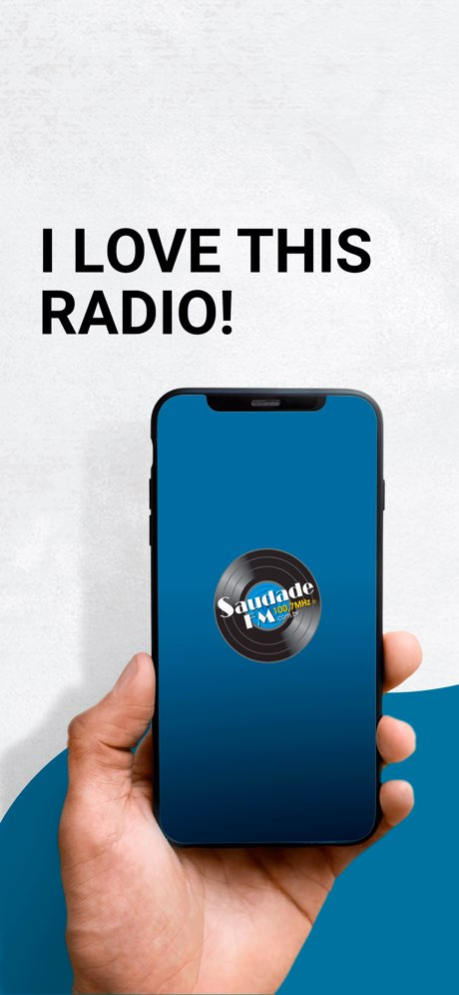


Every song brings a special memory. Whatever it may be, one thing is certain: it gains rhythm on Saudade FM. A radio station passionate about great hits. Those unforgettable ones. That awaken feelings. They inspire achievements. They revive dreams. They turn emotions into a soundtrack companion. The best of Flashback from the 1960s to the 2000s. National and International music. Intelligent informative content: journalism, culture, behavior, historical contextualization. Welcome to Saudade FM! I Love This Radio!
Instagram: @saudadefm - Facebook: @radiosaudadefm - Twitter: @saudadefm - YouTube: /radiosaudadefm - TIKTOK: @SaudadeFM
Version History Improved CarPlay usability 11.0.1 10/11/2025 Added CarPlay app 11.0.0 09/23/2025 Libraries and dependencies update 10.0.4 04/19/2024 Bug fix 10.0.3 07/25/2023 Improvements 10.0.2 02/16/2023 Correção de bugs 10.0.1 02/10/2023 Alteração de layout 10.0.0 01/26/2023 Recuperação de senha 9.2.0 02/23/2022 - Pedido Musical
- Promoções
- Anuncie na Saudade FM
- Bug fix do áudio em background 9.1.5 08/23/2021 - Correções no player de áudio para melhor estabilidade;
- Opt-in e Opt-out em notificações pelo menu do aplicativo;
- Retirada do pedido musical. 9.1.4 07/27/2021 Bug fix: Caracteres especiais nos dados da música. 3.0.6 03/13/2021 Correções de bugs
Novas funcionalidades 3.0.5 02/25/2021 Bug fix 3.0.2 05/25/2020 - Minor bug fixes
- Libraries updates 3.0.1 05/20/2020 - Nova interface
- Votação musical
- Sleep Timer
- Compartilhamento do aplicativo 3.0 03/17/2020 PORTUGUÊS -
Olá ouvintes da Saudade FM, vocês devem estar se perguntando que nova atualização é essa...
Como sempre gostamos de inovar e criar novas facilidades aos nossos ouvintes, segue a lista de novidades:
- Novo visual, com a foto do artista que está tocando no momento na tela principal.
- Botões "Gosto", "Não Gosto", onde você nos ajuda a melhorar ainda mais a programação.
- Botão "Letra". Ao clicar, você consegue acompanhar a letra ou tradução da música que está tocando no momento.
- Tarja que mostra a próxima música.
- Botões para acesso direto às redes sociais "Facebook", "Twitter" e "Instagram".
- Botão "Fale conosco", onde você pode pedir sua música diretamente ao programador.
Suporte a função AirPlay.
ENGLISH -
Hello listeners of Saudade FM, you must be wondering about this new update ...
As always, we like to innovate and create new facilities for our listeners. Our new update includes the following features:
- New visual, with the photo of the artist who is currently playing on the main screen.
- Buttons "I like" , "Do not Like" , where you can help us improve the program.
- Button "Letter ". By clicking it you can follow the lyrics or song translation that is currently playing.
- Black stripe showing the next song.
- Direct access to social networking "Facebook", "Twitter" and "Instagram".
- Click "Contact Us" where you can order your music directly from the controller.
Support for AirPlay function. 2.0 12/10/2014 - Pequenas correções 1.0.6 07/15/2014 Correção na rádio. 1.0.5 07/01/2014 Melhorias na execução da rádio 1.0.4 11/15/2011 * Correções no carregamento da rádio quando houver falha na conexão
* Outros ajustes e otimizações 1.0.3 08/30/2011 Corrigido o problema do player não voltar a tocar quando há falha na conexão 3G 1.0.2 08/20/2011 Correção do erro que não permitia continuar escutando a rádio quando ocorria um erro de conexão sem antes reiniciar o aplicativo 1.0.1 07/12/2011 1.0 06/01/2011
About Saudade FM
The company that develops Saudade FM is Vitor Vieira. The latest version released by its developer is 11.0.1.
To install Saudade FM on your iOS device, just click the green Continue To App button above to start the installation process. The app is listed on our website since 2026-10-13 and was downloaded 27 times. We have already checked if the download link is safe, however for your own protection we recommend that you scan the downloaded app with your antivirus. Your antivirus may detect the Saudade FM as malware if the download link is broken.
How to install Saudade FM on your iOS device:
- Click on the Continue To App button on our website. This will redirect you to the App Store.
- Once the Saudade FM is shown in the iTunes listing of your iOS device, you can start its download and installation. Tap on the GET button to the right of the app to start downloading it.
- If you are not logged-in the iOS appstore app, you'll be prompted for your your Apple ID and/or password.
- After Saudade FM is downloaded, you'll see an INSTALL button to the right. Tap on it to start the actual installation of the iOS app.
- Once installation is finished you can tap on the OPEN button to start it. Its icon will also be added to your device home screen.
Program Details
System requirements
Download information
Pricing
Version History
version 11.0.1
posted on 2026-10-13
Version History Improved CarPlay usability 11.0.1 10/11/2025 Added CarPlay app 11.0.0 09/23/2025 Libraries and dependencies update 10.0.4 04/19/2024 Bug fix 10.0.3 07/25/2023 Improvements 10.0.2 02/16/2023 Correção de bugs 10.0.1 02/10/2023 Alteração de layout 10.0.0 01/26/2023 Recuperação de senha 9.2.0 02/23/2022 - Pedido Musical
- Promoções
- Anuncie na Saudade FM
- Bug fix do áudio em background 9.1.5 08/23/2021 - Correções no player de áudio para melhor estabilidade;
- Opt-in e Opt-out em notificações pelo menu do aplicativo;
- Retirada do pedido musical. 9.1.4 07/27/2021 Bug fix: Caracteres especiais nos dados da música. 3.0.6 03/13/2021 Correções de bugs
Novas funcionalidades 3.0.5 02/25/2021 Bug fix 3.0.2 05/25/2020 - Minor bug fixes
- Libraries updates 3.0.1 05/20/2020 - Nova interface
- Votação musical
- Sleep Timer
- Compartilhamento do aplicativo 3.0 03/17/2020 PORTUGUÊS -
Olá ouvintes da Saudade FM, vocês devem estar se perguntando que nova atualização é essa...
Como sempre gostamos de inovar e criar novas facilidades aos nossos ouvintes, segue a lista de novidades:
- Novo visual, com a foto do artista que está tocando no momento na tela principal.
- Botões "Gosto", "Não Gosto", onde você nos ajuda a melhorar ainda mais a programação.
- Botão "Letra". Ao clicar, você consegue acompanhar a letra ou tradução da música que está tocando no momento.
- Tarja que mostra a próxima música.
- Botões para acesso direto às redes sociais "Facebook", "Twitter" e "Instagram".
- Botão "Fale conosco", onde você pode pedir sua música diretamente ao programador.
Suporte a função AirPlay.
ENGLISH -
Hello listeners of Saudade FM, you must be wondering about this new update ...
As always, we like to innovate and create new facilities for our listeners. Our new update includes the following features:
- New visual, with the photo of the artist who is currently playing on the main screen.
- Buttons "I like" , "Do not Like" , where you can help us improve the program.
- Button "Letter ". By clicking it you can follow the lyrics or song translation that is currently playing.
- Black stripe showing the next song.
- Direct access to social networking "Facebook", "Twitter" and "Instagram".
- Click "Contact Us" where you can order your music directly from the controller.
Support for AirPlay function. 2.0 12/10/2014 - Pequenas correções 1.0.6 07/15/2014 Correção na rádio. 1.0.5 07/01/2014 Melhorias na execução da rádio 1.0.4 11/15/2011 * Correções no carregamento da rádio quando houver falha na conexão
* Outros ajustes e otimizações 1.0.3 08/30/2011 Corrigido o problema do player não voltar a tocar quando há falha na conexão 3G 1.0.2 08/20/2011 Correção do erro que não permitia continuar escutando a rádio quando ocorria um erro de conexão sem antes reiniciar o aplicativo 1.0.1 07/12/2011 1.0 06/01/2011
version 11.0.1
posted on 2025-10-11
Improved CarPlay usability
version 11.0.0
posted on 2025-09-23
Sep 23, 2025
Version 11.0.0
Added CarPlay app
version 10.0.4
posted on 2024-04-19
Apr 19, 2024
Version 10.0.4
Libraries and dependencies update
version 10.0.3
posted on 2023-07-25
Jul 25, 2023
Version 10.0.3
Bug fix
version 10.0.2
posted on 2023-02-16
Feb 16, 2023
Version 10.0.2
Improvements
